
Your needs, this model
Does it fit your priorities?
Does the Tacx Blue Matic T2650 keep the rear wheel on the bicycle?
Yes. The T2650 is clamped by the rear axle while its rear tire contacts the magnetic resistance roller. Measure the fitted wheel and check the exact axle adapter and frame setup; a generic 'universal' label does not prove your bike fits.
Explore this need in the finder →Can an app automatically change Blue Matic T2650 resistance?
No. Garmin describes ten magnetic positions selected at the handlebar. Compatible speed/cadence sensors may let software estimate virtual power, but that telemetry does not move this manual brake for an app workout.
Explore this need in the finder →Does the Blue Matic T2650 base include a trainer cassette or Zwift Cog and Click?
No cassette or Cog/Click setup is documented in this basic wheel-on trainer package. The bicycle keeps its own rear wheel and drivetrain; ask the seller about the exact old-unit skewer, fittings and any added accessories.
Explore this need in the finder →This is a source-based assessment of the earlier U.S.-listed Tacx Blue Matic Basic Trainer, model T2650—not a hands-on test. Best Buy identifies the product as T2650, while Garmin's support material describes the brake and optional sensor behavior. The checked U.S. retailer page marked new-condition sales unavailable on November 1, 2026; that dated entry says nothing about other sellers, used units or future stock. See the Best Buy model record and Garmin's Blue Matic feature guidance.
What T2650 does—and what “roller trainer” doesn't mean here
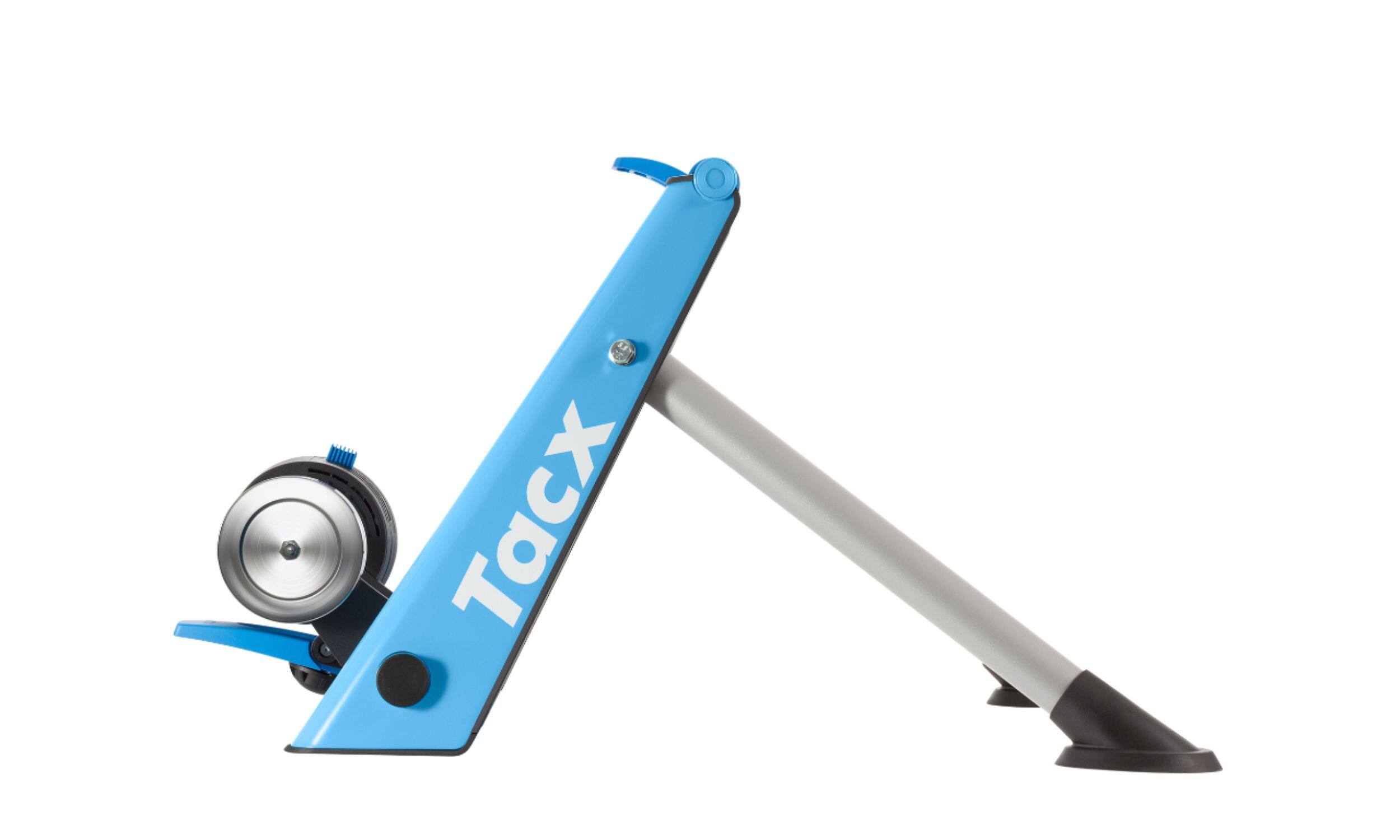
The Blue Matic keeps the bike's rear wheel installed and holds the bicycle at the rear axle while its tire turns against a resistance cylinder. That makes it a wheel-on frame trainer, not the free-standing rollers where the rider balances on several drums. Best Buy's generic “roller trainer” form-factor field is less useful than the T2650 parts drawing and Tacx assembly sequence: the rear wheel is secured and its tire contacts the brake unit. The older Garmin product result and the U.S. retailer model code distinguish T2650 from the related Blue Twist T2675; don't use a Blue Twist listing as a substitute.
Ten manual settings are not app-controlled workouts
Garmin describes a lever that selects ten magnetic-resistance positions from the handlebar. That is convenient in one specific sense: it lets the rider change the setting while seated instead of reaching toward the brake. But the lever remains a manual control. The trainer has no documented radio link, electronic brake, ERG mode, route simulation, direct power report or accuracy rating. Garmin says a compatible speed-and-cadence sensor can feed virtual-power estimates to supported software; that sensor is an add-on, and estimated power is not the same as the trainer measuring watts or an app changing resistance. Check the software's current support and sensor pairing before treating an older basic trainer as an indoor-app setup.
Garmin lists a 1.25 kg flywheel and states that the resistance unit can simulate up to 700 W. Those are manufacturer descriptions, not independent measurements, and the number is not a promise that every rider or cadence can reach it. There is no numeric simulated-grade value for the T2650 in the evidence checked; a numeric grade filter should therefore treat that capability as unknown, not infer it from the power figure.
Wheel and tire fit need a physical check
The shared Tacx Blue trainers assembly guide tells the owner to measure the wheel diameter and place the resistance unit in the corresponding position. That is a better starting point than assuming every nominal 26-, 27.5- or 29-inch wheel lands the cylinder correctly. The exact rear axle, dropout spacing, skewer/adapters, frame clearance and tire width still need to be checked against the actual bicycle and the kit that comes with the unit. Garmin's official parts sheet names the T2650 frame, resistance unit, quick-release and fitting parts, but a parts diagram is not a seller's checklist. Best Buy's listing describes a basic trainer and does not establish the condition or completeness of a particular second-hand unit.
Wheel-on resistance also makes the tire part of the system. A smooth, appropriate trainer tire can help reduce wear and noise, but the actual tire manufacturer sets its own pressure and use limits. The older shared manual includes a general 6–8 bar setup illustration; do not treat that as permission to exceed the rating printed for a particular tire, rim or wheel. Check the rear roller contact, release it from the tire when the trainer is idle, and allow the brake enclosure to cool after long, hard use as the manual advises. Those precautions matter more than a seller's broad “universal” label.
How it compares with Blue Twist and newer basics
Blue Matic's distinctive convenience is the ten-position handlebar lever. The separate Blue Twist T2675 uses seven positions at the brake unit, so changing it means setting the switch at the trainer rather than clicking a bar-mounted control. Both remain manual, wheel-on trainers without automatic app resistance. The newer Garmin Tacx Boost is another, separately assessed wheel-on basic trainer; its higher published power figure, model, dimensions and package should not be inherited by this older T2650.
If an older unit is being considered, ask for photographs of the T2650 label, lever cable, brake body, frame, axle fittings and every included part. The Best Buy listing's reported 18.5 lb out-of-box weight also differs from the 9.3 kg figure on Garmin's older parts sheet, so this assessment does not use either number as a deciding specification. A missing lever, bent frame or unverified adapter kit could change the practical setup far more than a broad resistance claim.
Who should keep it on the shortlist?
T2650 suits someone who specifically wants a simple rear-wheel-on magnetic unit, prefers manual handlebar adjustment and does not need an app to set resistance. It is a poor match for a buyer who wants automatic grade changes, measured power, a documented simulated-climb ceiling or a guaranteed ready-to-ride package. The U.S. model bridge is real, but the dated new-condition listing does not establish present availability. Treat the exact unit, kit, tire and bike fit as the purchase decision—not a product-family name.
Key specifications
Key details at a glance
| Trainer setup | Wheel-on / rear tire on |
|---|---|
| App-controlled resistance | No |
| Manufacturer maximum resistance power | 700 W |
| Cassette included in reviewed package | No |
| Zwift Cog and Click included in reviewed package | No |
| AC power adapter included | No |
| Mains power required for powered resistance | No |
| Manual resistance levels | 10 levels |
Use the exact model’s instructions for operating limits, supplied equipment and version differences.
Sources for this review
Sources for this assessment
- Tacx Indoor Trainers — Garmin U.S. Previous Models
- Tacx Blue Matic Basic Trainer — Garmin U.S. product route
- Features of the Tacx Blue Matic Basic Trainer — Garmin Support
- Blue trainers: Blue Motion, Matic & Twist assembly manual, T2600.25B (2017-03)
- T2650 Blue Matic technical parts sheet — Garmin
- Tacx Blue Matic Bicycle Trainer Black and Blue, model T2650 — Best Buy U.S.
- Blue Matic T2650 product image — Best Buy U.S.

See how this setup fits your own priorities.
The finder uses documented setup and feature differences. It is not a compatibility guarantee; verify your exact frame, drivetrain and supplied package.